Python Error Handling: A Beginner's Guide to try and except


1 Introduction
Before learning how to handle errors that occur in a Python program, you might have noticed that whenever an error happens midway through execution, the entire program stops (crashes) and doesn’t continue. This is an undesirable outcome. Therefore, in this article, we will learn how to handle errors in Python, ensuring that our programs don’t come to a complete halt even when they encounter an error.
2 Why Handle Errors in Python?
Before we dive into how to handle errors in Python, let’s first understand why it’s so important. Imagine your boss asks you to write a Python program that continuously accepts a number from a user and prints its “reciprocal.” After the program prints the result, the user will input the next number:
- User inputs 16 → Program prints 0.0625 (1/16)
- User inputs 20 → Program prints 0.05 (1/20)
- User inputs 25 → Program prints 0.04 (1/25)
- User inputs 30 → Program prints 0.0333 (1/30)
- …
Based on these requirements, you immediately recall what you’ve learned about the concept of loops and how to use functions, and you write the following code:
while True:
    inp = input("Number: ")
    inp = int(inp)
    print(f"Reciprocal: {1/inp}")
    print()
“This code seems to work perfectly,” you think with pride. However, one day, a user accidentally enters the “number 0” (we all know that 0 cannot be a denominator, so its reciprocal cannot be calculated). When your program tries to calculate 1/0, it throws an error:
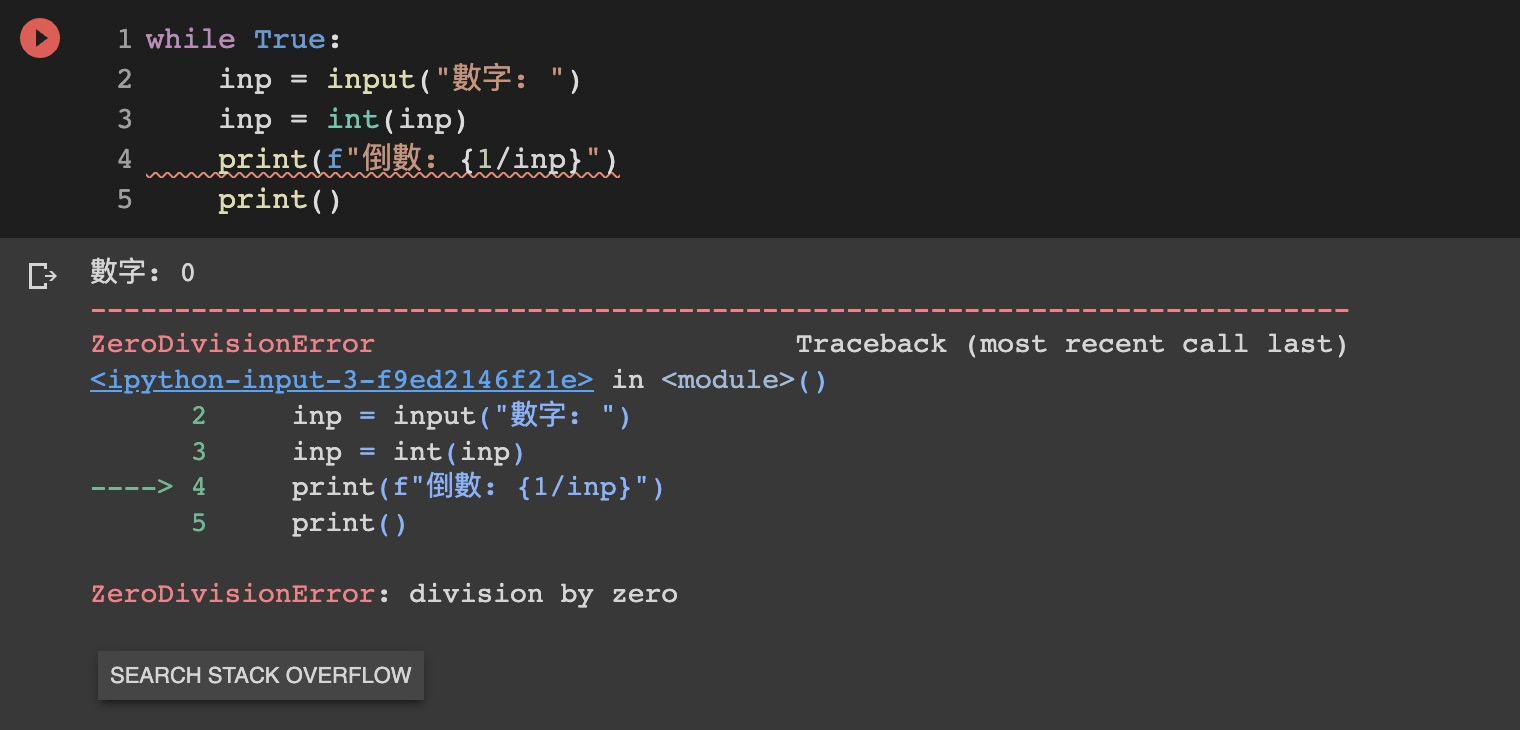
And then, it stops accepting user input (your boss would definitely be furious)! This is precisely why we need to learn how to handle errors in Python. It allows us to manage errors that occur at “runtime” without causing the entire program to crash.
3 Python’s try and except
In Python, we can handle errors using the try and except keywords. We place the code that “might cause an error” inside the try block, and the code that should run if an error occurs inside the except block. Using our previous example, we should place the reciprocal calculation inside the try block and inform the user in the except block that they should not input 0:
while True:
    inp = input("Number: ")
    inp = int(inp)

    try:
        print(f"Reciprocal: {1/inp}")
    except:
        print("You should not enter 0")

    print()
This way, even if a user accidentally inputs 0, causing an error with 1/inp, the program will automatically execute the code within the except block. After finishing the except block, it will continue with the rest of the program’s execution.
4 Python’s pass Statement
We now know that with the try and except syntax, the computer will execute the code in the except block when an error occurs. But what if we want the program to do nothing special when an error happens, and simply continue with the remaining code?
Let’s take the program your boss asked for as an example. Suppose you don’t want the program to do anything after a user inputs 0; it should just ignore that input and wait for the next one. How can we achieve this? The most intuitive idea might be to just remove the except block:
while True:
    inp = input("Number: ")
    inp = int(inp)

    try:
        print(f"Reciprocal: {1/inp}")
    print()
However, this syntax is incorrect in Python! A try block must be followed by at least one except block. This is where the pass keyword comes in handy:
while True:
    inp = input("Number: ")
    inp = int(inp)

    try:
        print(f"Reciprocal: {1/inp}")
    except:
        pass
    print()
The pass statement means exactly what it sounds like—it does nothing!
5 Conclusion
In this article, we’ve learned why it’s crucial to handle errors in Python and how to use try, except, and pass to achieve this goal.