Understanding Functions in Python (Part 3)


1 Introduction
In Understanding Functions in Python (Part 2), we introduced default arguments, keyword arguments and scope in Python functions, and explained the respective lifetimes of local variables and global variables. That article ended by listing four important properties of scope:
- Code in the global scope may not access variables in a local scope (local variables)
- Code in a local scope may access variables in the global scope (global variables)
- Code in a local scope may not access variables in another local scope (local variables)
- If two variables are in different scopes, those two variables may use the same name
Read on their own these four sentences are somewhat abstract, and when you actually run into them it’s easy to get confused: the variable is written right there, so why does the computer say it doesn’t exist? This article gives an example for each of the four properties, each with a snippet of code you can run yourself.
2 Code in the Global Scope May Not Access Local Variables
For example, if you run the code below:
def say_hello():
    text = "hello"

say_hello()
print(text)
the following error message appears:
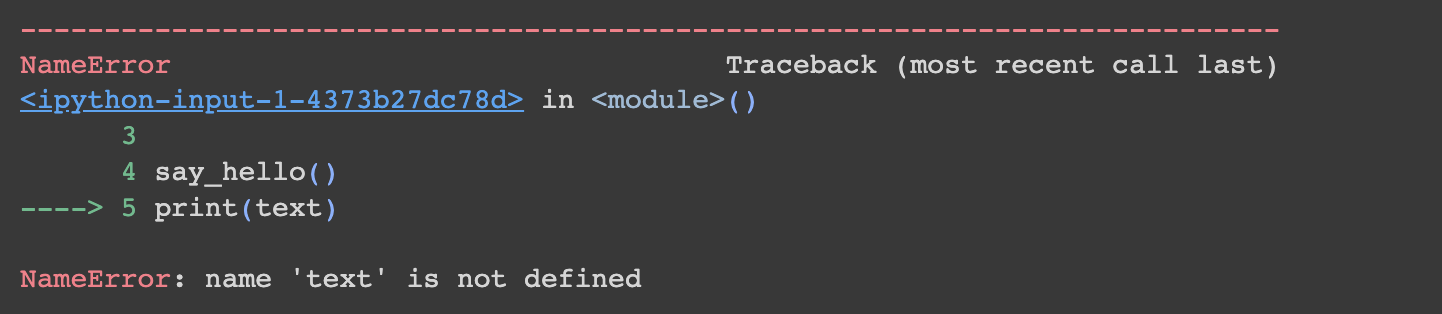
This error message means the variable “text” has never been declared, so the computer has no idea what it is. But we clearly did define it inside the say_hello() function!
The reason is that the say_hello() function forms a local scope, and the variable written in that local scope (text) is a local variable. The variable text is only created when we call say_hello() on line four; the moment the function finishes running, the local scope belonging to it is destroyed along with the variables inside it. In other words, by the time the computer reaches print(text) on line five, text has long since ceased to exist, which is why the error message appears.
3 Code in a Local Scope May Access Global Variables
The reverse direction is allowed. For example, if you run the following code:
def say_hello():
    print(text)

text = "hello"
say_hello()
the output is:
helloThis is because we defined the variable “text” before calling the say_hello() function. text is defined outside the function, that is in the global scope, so it is a global variable and won’t be destroyed until the entire program has finished running. So when say_hello() can’t find text in its own local scope, it looks further out and finds the text in the global scope, printing “hello” successfully.
4 Code in a Local Scope May Not Access Another Local Scope’s Variables
For example, if you run the following code:
def say_hello1():
    text1 = "hello1"

def say_hello2():
    text2 = "hello2"
    print(text1)

say_hello2()
the following error message appears:
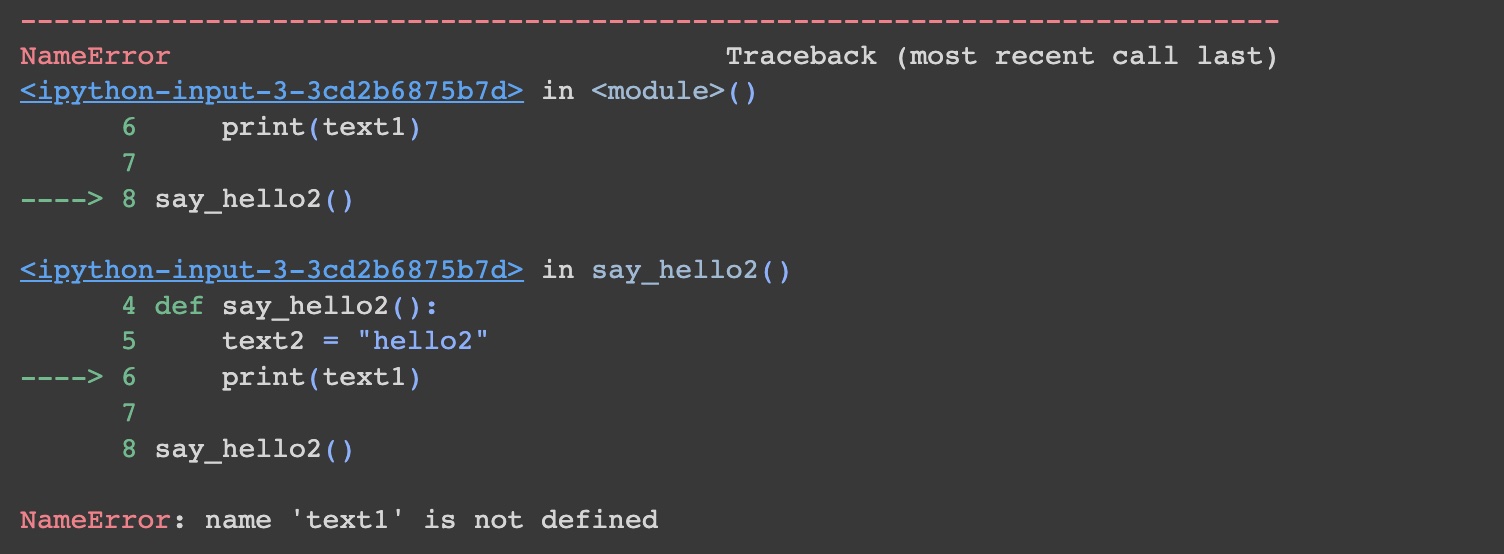
This error message means that while running the say_hello2() function, the computer found that the variable “text1” had never been declared. But didn’t we already declare it inside the say_hello1() function?
The reason is that the local scope formed by each function is independent of the others and doesn’t affect them — that is, inside the say_hello2() function there is no knowledge whatsoever of what happens inside the say_hello1() function. Note that the problem here is not “calling them in the wrong order”: even calling say_hello1() first and say_hello2() afterwards still errors, because the moment say_hello1() finishes, text1 disappears with it.
5 Variables in Different Scopes May Use the Same Name
Since “inside the say_hello2() function there is no knowledge whatsoever of what happens inside the say_hello1() function”, we can of course use the same variable name in two functions (two local scopes), as shown in the code below:
def say_hello1():
    text = "hello1"

def say_hello2():
    text = "hello2"

say_hello2()
The contents of the two functions say_hello1() and say_hello2() don’t affect each other. These two texts are two entirely different variables from beginning to end; they just happen to share a name. This property is genuinely helpful in practice: when writing a function you don’t have to give variables long, strange names just to avoid collisions — you only need to manage the naming within your own function.
6 Conclusion
This article ran through each of scope’s four properties with a snippet of code. Hold on to one principle and you won’t go far wrong: a local scope exists only for the duration of the function’s execution, and it can see only itself and the enclosing global scope — never the inside of a neighbouring function. Both of the NameErrors above are, at bottom, different faces of the same thing.
The next article covers what else we can do — beyond halting the program and throwing an error message — when the computer encounters an unexpected situation while running a Python program.