if, elif and else in Python: Flow Control Syntax


1 Introduction
This is the sixth article in the Python programming beginner’s series. In the previous one, “Flow Control and the Boolean Data Type”, we discussed the concept of flow control and got to know boolean values. This article carries that concept over into actual syntax: in Python, flow control rests on three keywords — if, elif and else.
By the end you’ll know what parts a piece of flow control is made of, what each of the three keywords is responsible for, and one trap that’s very easy to fall into: consecutive ifs and consecutive elifs do not behave the same way at all.
2 What Flow Control Is Made Of
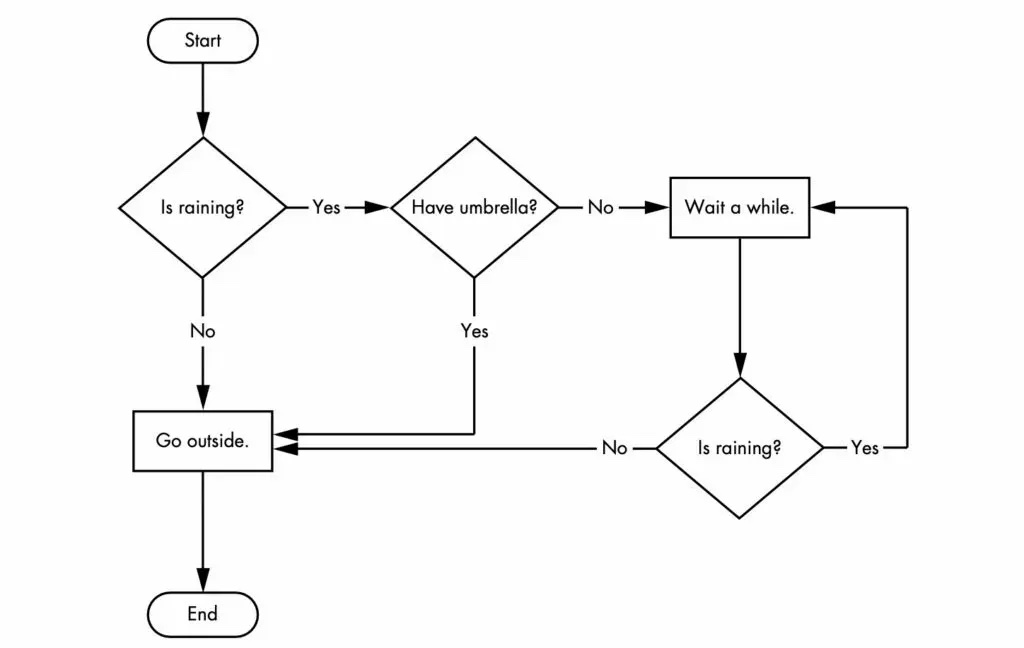
In the previous article we learned that “flow control” is exactly the kind of decision point that “Is raining ?” or “Have umbrella ?” represents in a flowchart. And a piece of flow control is usually made of two parts: a condition and the task to run when that condition holds.
Take “Is raining ?”: “Is raining” itself is the condition; if it’s satisfied, we follow the Yes branch and arrive at “Have umbrella ?”. In that case, “Have umbrella ?” is the task to run when the condition holds. By the same logic, “Have umbrella ?” is itself a condition, and when it’s satisfied we follow Yes to “Wait a while.” — which is what it does when it holds.
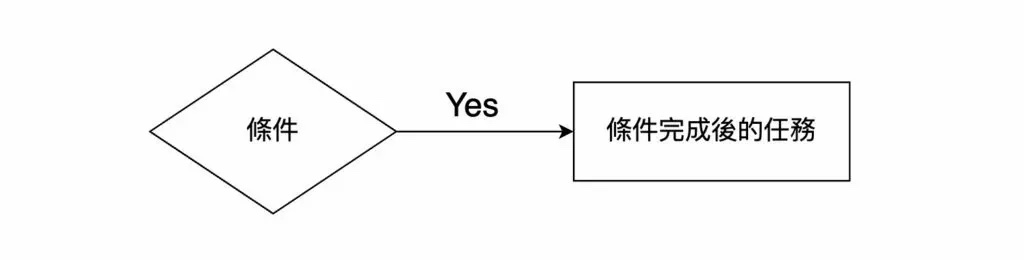
Put simply, “flow control” in a program is these two parts: the condition, and the task to run when the condition holds.
In Python, a “condition” means an expression that ultimately evaluates to a boolean value. Every expression below can serve as a flow-control condition, because each one evaluates to True or False:
1 == 2
10 <= 20
20-1 != 19
'apple' == 'apple'
3 Flow Control Syntax in Python
With the parts understood, here are the three keywords Python actually provides:
- if
- elif
- else
Python writes flow control with these three keywords; let’s go through them one at a time.
4 The IF Statement
The if statement is flow control’s first step — to write flow control in a program, the first thing you reach for is always if. Look directly at the following snippet:
if 2+3 == 5:
    print('YES')
This code means: if 2+3 is 5, print YES. Mapped onto the breakdown above, “2 + 3 == 5” is the condition and “print(‘YES’)” is the task to run when it holds.
You’ve no doubt already spotted that 2 + 3 is 5, so the expression “2 + 3 == 5” always evaluates to True. In other words, the code above is equivalent to:
if True:
    print('YES')
When the program reaches this piece of flow control, the condition is always True, so “print(‘YES’)” always runs.
Of course, hard-coding the condition as True isn’t much use in practice. We often put a variable in the condition to make the check more flexible:
if name == 'Alice':
    print('Hi, ' + name)
The flowchart this code corresponds to is:
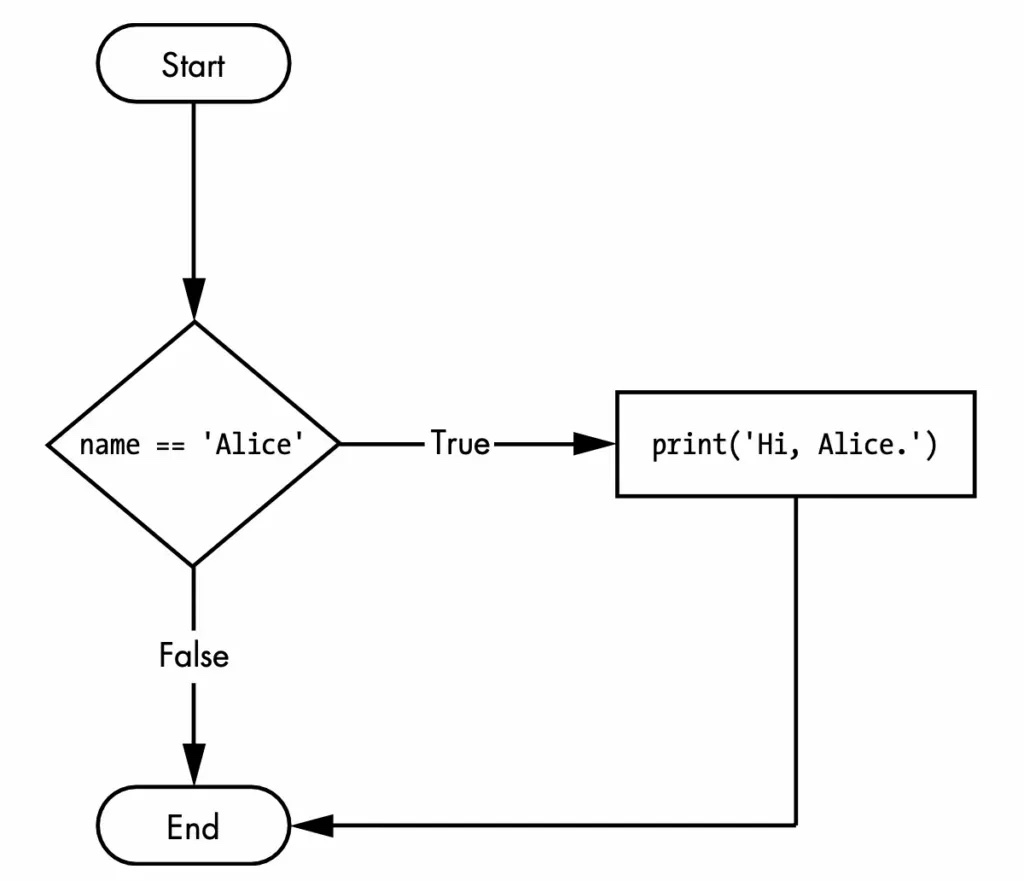
Once you know how to write an if, there are two small details worth watching — and they’re the ones beginners hit errors on most:
- A colon goes after the condition
- The task to run when the condition holds must be indented
5 The ELIF Statement
In the example above, we only checked whether the variable name equals 'Alice'. But what if we want to check more conditions — whether name equals 'Johnny', say? That’s where the “else if” statement comes in. Straight to the code:
name = 'Johnny'

if name == 'Alice':
    print('Hi, '+ name)
elif name == 'Johnny':
    print('How are you ' + name)
You’ll notice Python’s keyword is elif — that’s how it spells “else if”. For the variable name, we used two different conditions (Alice and Johnny); the computer checks them in order from the first, and as soon as it meets a condition that’s satisfied, it runs the corresponding code. In this example, what runs is “print(‘How are you ’ + name)”.
The knack here is “stop at the first condition that’s satisfied”. A few more examples make it clearer.
What do you think the following code outputs?
name = 'Alice'

if name == 'Alice':
    print('Hi, '+ name)
elif name == 'Alice':
    print('How are you ' + name)
The output is “Hi, Alice”. As said above, when the computer meets a chain of if and else-if statements, it checks them in order from the first, runs the corresponding code as soon as one is satisfied, and doesn’t even evaluate the later else-ifs.
And what about this version?
name = 'Alice'

if name == 'Alice':
    print('Hi, '+ name)

if name == 'Alice':
    print('How are you ' + name)
The program outputs:
Hi, Alice
How are you Alice
The reason is that both conditions are written with if, so the two are completely independent: whether or not the first condition holds, the computer goes on to evaluate the second. This is the crucial difference between if followed by elif and if followed by if: the former is one multiple-choice question with mutually exclusive answers, the latter is two questions answered separately.
Once you know how to write an elif, the same two details apply:
- A colon goes after the condition
- The task to run when the condition holds must be indented
6 The ELSE Statement
We now know how to use if and elif to write a condition and the task that goes with it. But what if none of the conditions is satisfied and we still want some code to run? That’s what else is for.
For example:
name = 'Johnny'

if name == 'Alice':
    print('Hi, '+ name)
elif name == 'Tim':
    print('How are you ' + name)
else:
    print('What is your name ?')
The result of running the code above is “What is your name ?”. When none of the if and elif conditions holds, the computer runs the code inside else. That’s also why else takes no condition of its own — it’s the “none of the above” path.
There are likewise two details to watch with else:
- A colon goes after
else(since there’s no condition, the colon attaches straight to the keyword) - The task to run when no condition holds must also be indented
7 Conclusion
This article walked through Python’s flow control syntax: if handles the first check, elif continues with other conditions, and else covers the case where none of them holds. Remember too that a chain of if/elif runs only the first branch that holds, while several independent ifs each get evaluated.
Get comfortable with these three keywords and a program can take different paths for different situations, rather than only running top to bottom. In the next article, we’ll go on to the concept of loops.