Variables and Data Types in Python

1 Introduction
This is the third article in the Python programming beginner’s series. In the previous one we implemented everyday arithmetic in Python code and saw that an expression can be evaluated down to a single result. This article fills in two ideas that are even more fundamental, and used even more often: data types and variables.
Put plainly, these two things decide: the data type determines “what this value is and what operations it can take part in”, and the variable determines “whether this value can be pulled out and used later”. Once they click, a program can grow from a single line of arithmetic into something that actually does work.
2 Data Types in Python
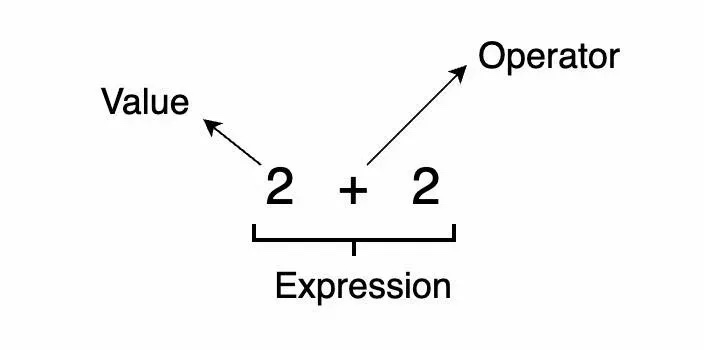
In the previous article, we learned that an expression is made up of values and operators, and that it can be evaluated down to a single value. A “data type” is the category a value belongs to — every value has its own data type. In the figure above, the data type of “2” is integer.
Why care about data types? Because Python decides what operations a value can take part in based on its category. The very same plus sign adds two numbers together, but joins two strings end to end — something we’ll see in a moment.
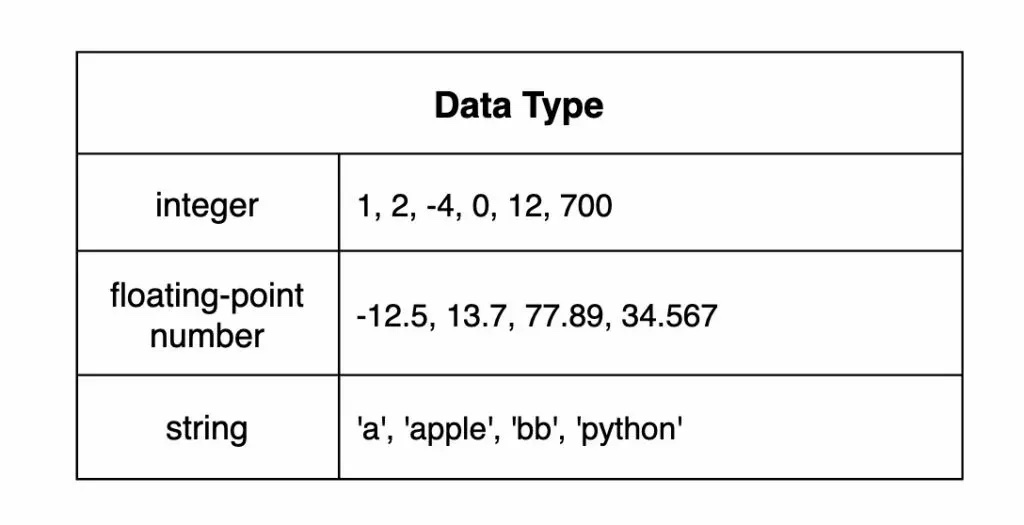
Python’s three most basic data types are integer, floating-point and string:
- Integer: abbreviated “int”, meaning a whole number — like 1, 2, -4, 0, 12, 700 in the figure above.
- Floating-Point: abbreviated “float”, meaning a number with a decimal point — like -12.5, 13.7, 77.89, 34.567 in the figure above.
- String: abbreviated “str”, meaning a piece of text wrapped in single or double quotes — like ‘a’, ‘apple’, ‘bb’, ‘python’ in the figure above.
Here’s a trap that’s easy to fall into: 100 and '100' are two completely different things in Python’s eyes — the former is an integer, the latter a string.
3 Basic String Operations
All the operations in the previous article were on integers and floating-point numbers. In Python, strings can also be “added” and “multiplied” — the meanings are just a little different.
String concatenation
Adding strings joins two strings together. The code below adds the string
'app'to the string'le', producing the string'apple'.
'app' + 'le'String replication
Multiplying a string repeats the same string a number of times. The code below multiplies the string
'apple'by the integer 2, producing the string'appleapple'.
'apple' * 24 SyntaxError vs. TypeError
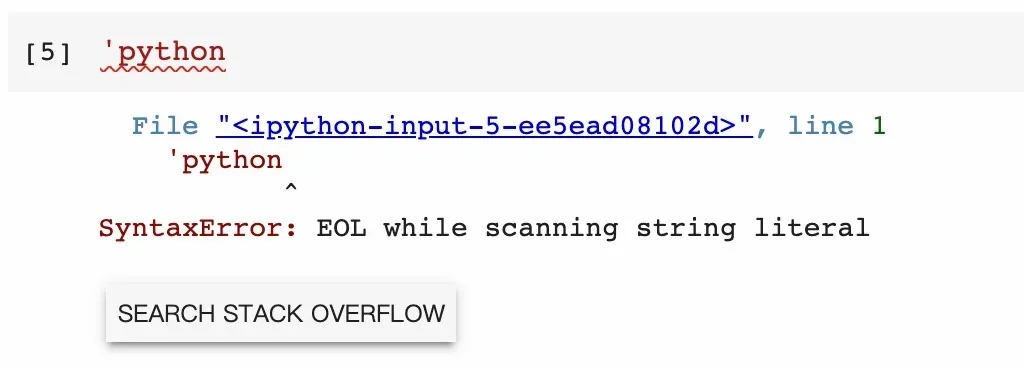
In the previous article, we met the meaning of a SyntaxError through expressions: the way the program is written doesn’t obey the grammar. Strings are a classic example. In Python, a string must be wrapped in a matching pair of quotes; leave one side off and the computer can’t tell where the string ends, so it raises a SyntaxError.
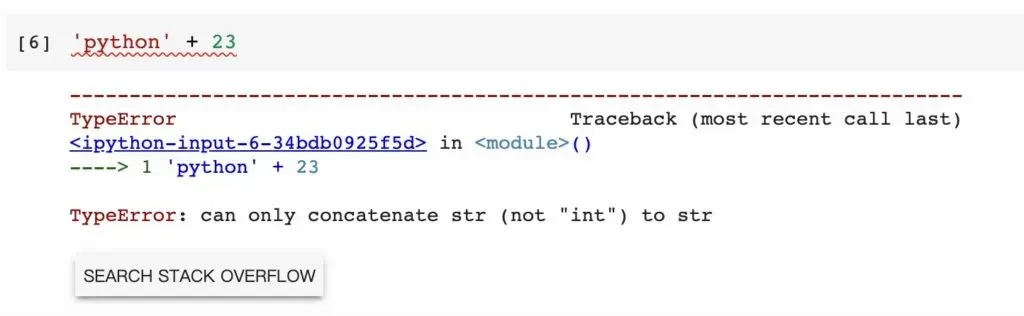
Another common error is the TypeError, which happens when the writing is fine but the data types don’t fit together. String concatenation requires two strings to be added; if one of them isn’t a string, you get a TypeError.
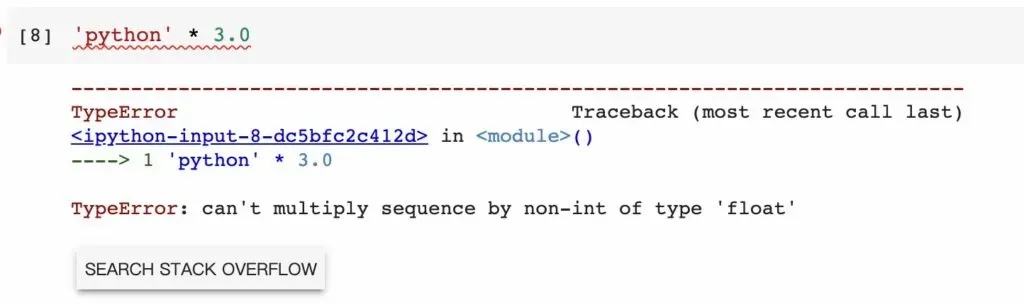
By the same logic, string replication requires a string multiplied by an integer. Swap the integer for a floating-point number and you get a TypeError just the same — after all, repeating a string 2.5 times has no sensible answer.
Telling these two errors apart makes debugging much faster: a SyntaxError means “the sentence is malformed”, so go back and check whether the quotes and parentheses are paired; a TypeError means “the sentence is fine, but the wrong kind of thing was put in it”, so go back and check what data type each participating value actually is.
5 Variables in Python
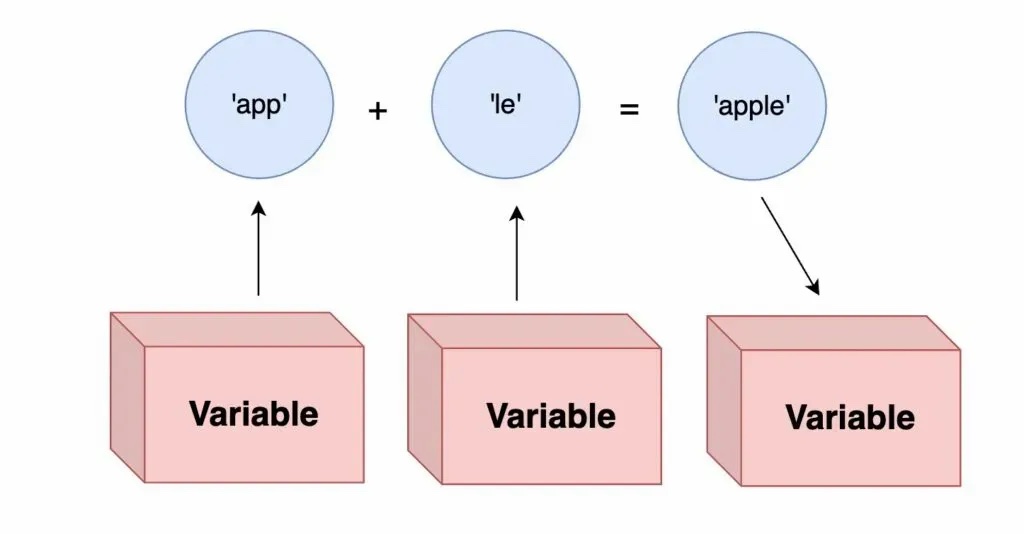
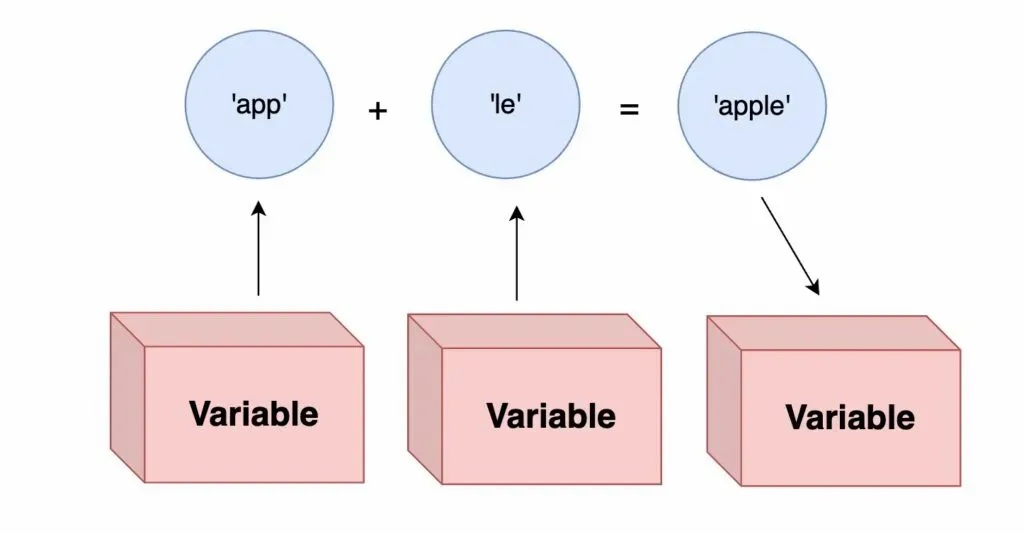
Variables play a very important role in programming. A variable acts like a “box” in a program, and we can put a value into that box. Since a value’s data type in Python is mainly integer, floating-point or string, the box can hold a string ('apple'), an integer (100), or of course a floating-point number (13.5).
Putting a value into the box — that is, storing a value in a variable — is called assignment. In a program, assignment is done with the equals sign.
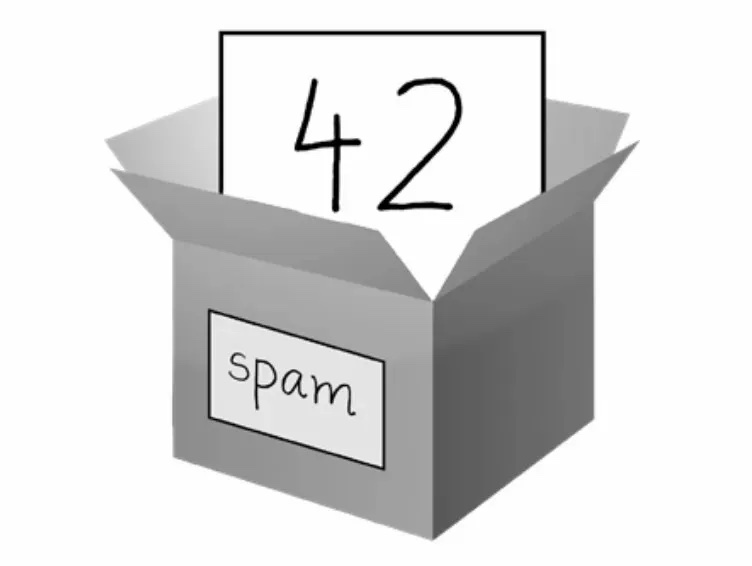
Taking the figure above as an example, we store the integer 42 into a variable called spam, which in Python is written:
spam = 42This means assigning the integer 42 into the variable spam. Note that the equals sign here isn’t mathematical “equality” — it’s “put the value on the right into the box on the left”. Running just the variable’s name in a Colab cell displays the value the variable currently holds.
spamLet’s add one more variable:
num = 130Adding the two variables displays the result of adding the values they hold.
spam + numWe can also store the sum back into the original variable:
spam = spam + numThis line is the key to understanding assignment: Python first evaluates spam + num on the right, then puts the result back into the spam box. The value spam originally held is replaced by the new one.
spamFrom the examples above you can see that a variable (the box) comes into existence the first time it’s assigned a value; from then on in the program, we can keep swapping out the value stored inside that box.
6 Variable Names
In the examples above, we created two variables named spam and num. In Python, variable names have three restrictions:
It must be one word, with no spaces
For example,
apple,abcandanimalall work as variable names;app ledoes not.The word may only use letters, digits and underscores
For example,
apple_abc1is acceptable;apple!?is not.It may not start with a digit
For example,
a3is fine;3ais not acceptable.
Beyond these hard rules, there’s a practical suggestion: make variable names understandable. spam and num are fine as teaching examples, but in real code total_price is far easier to maintain than a1.
7 Conclusion
This article introduced the three basic data types a Python value can have (integer, floating-point, string) and the two string operations (concatenation and replication), and explained the difference between a SyntaxError and a TypeError. The second half covered the concept of a variable: picture it as a box, use the equals sign for assignment, and remember that a variable is only created the first time it’s assigned.
The next article will write our first complete program: one that accepts input from the user, computes something based on that input, and then displays the result.